You
Today
You fund field coaching and support programs, and proving any of it moved a number is still nearly impossible.
With FPI
Every play carries its result. When the board asks whether the program works, the answer is a list, not a feeling.
Denamico · Franchise Performance Intelligence
Franchise Performance Intelligence watches every location’s numbers and flags the ones starting to slide. Then it drafts the play that already worked at locations like theirs, and nothing reaches a franchisee without your team’s approval.
An installable HubSpot app, built by Denamico. Live in a portal today.
The problem
You see royalty revenue and a network rollup. What you can’t see, early enough to act, is which locations are slipping and why. By the time trouble reaches a lagging metric, it has been running for a period or more. And somewhere in your network, another location has already solved this exact problem.
Today
You fund field coaching and support programs, and proving any of it moved a number is still nearly impossible.
With FPI
Every play carries its result. When the board asks whether the program works, the answer is a list, not a feeling.
Today
A book of 30 to 150 locations, and the one that needed help this week surfaces next month.
With FPI
Their book arrives ranked by trajectory, with a drafted play for each location that’s sliding. They spend the week coaching, not hunting.
Today
They hand over a P&L and get silence back, or worse, a ranking with their name on it.
With FPI
Every submission comes back with value in the same minute: their numbers against similar locations, never named, plus what’s worked for owners in their spot.
You have dashboards. They tell you something is wrong and wish you luck. FPI drafts the fix and shows the history behind it, then waits for your team’s yes.
Try it live
Hand over numbers. Get value back in the same minute.
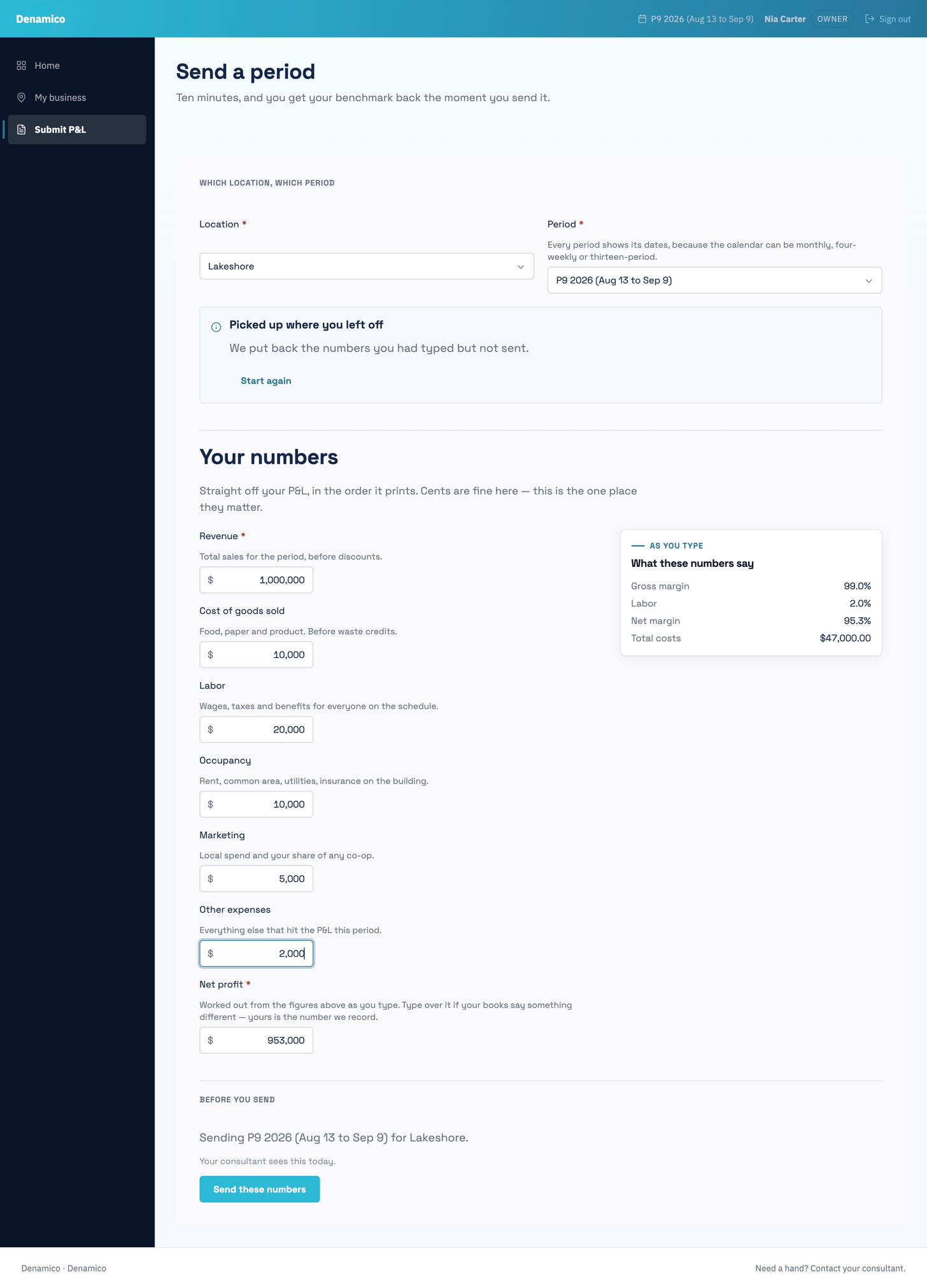
P&L collection usually runs as a compliance chore, so the numbers arrive late and partial. FPI turns the chore into a trade. The moment a franchisee submits a monthly P&L through the member portal, they get back a benchmark against similar locations (never named, never ranked) plus the plays that have moved that number for locations like theirs. Try it against the demo network.
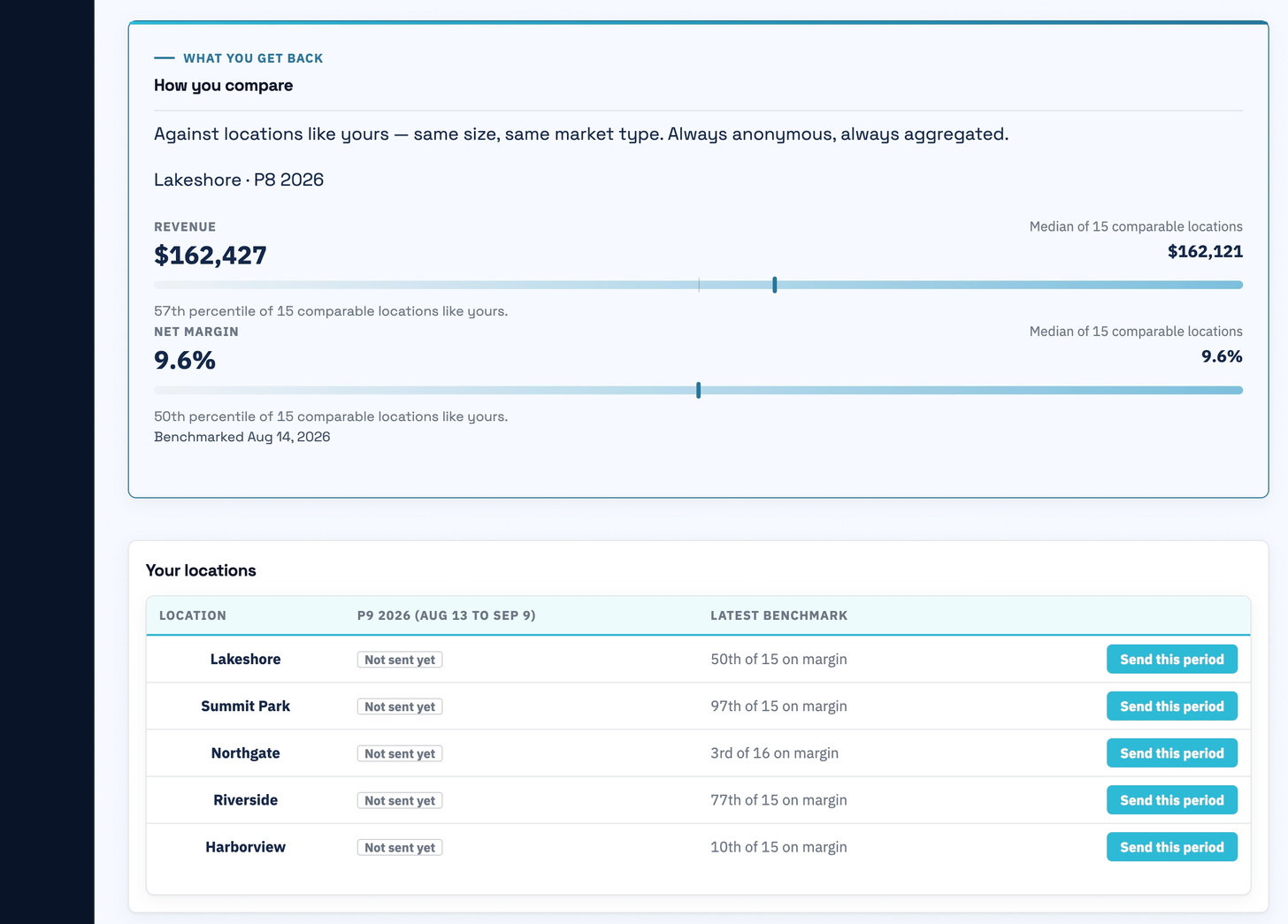
Pick a scenario to see what comes back.
This demo runs the real benchmark engine against seeded demo data. Nothing you enter is stored.
How it works
One cycle runs from raw numbers to measured results. The network ends every cycle knowing more than it started with.
01 · Sense
Sales flow in from the point of sale and franchisees submit P&Ls through the portal. The two are checked against each other, so nobody benchmarks against bad data.
02 · Recommend
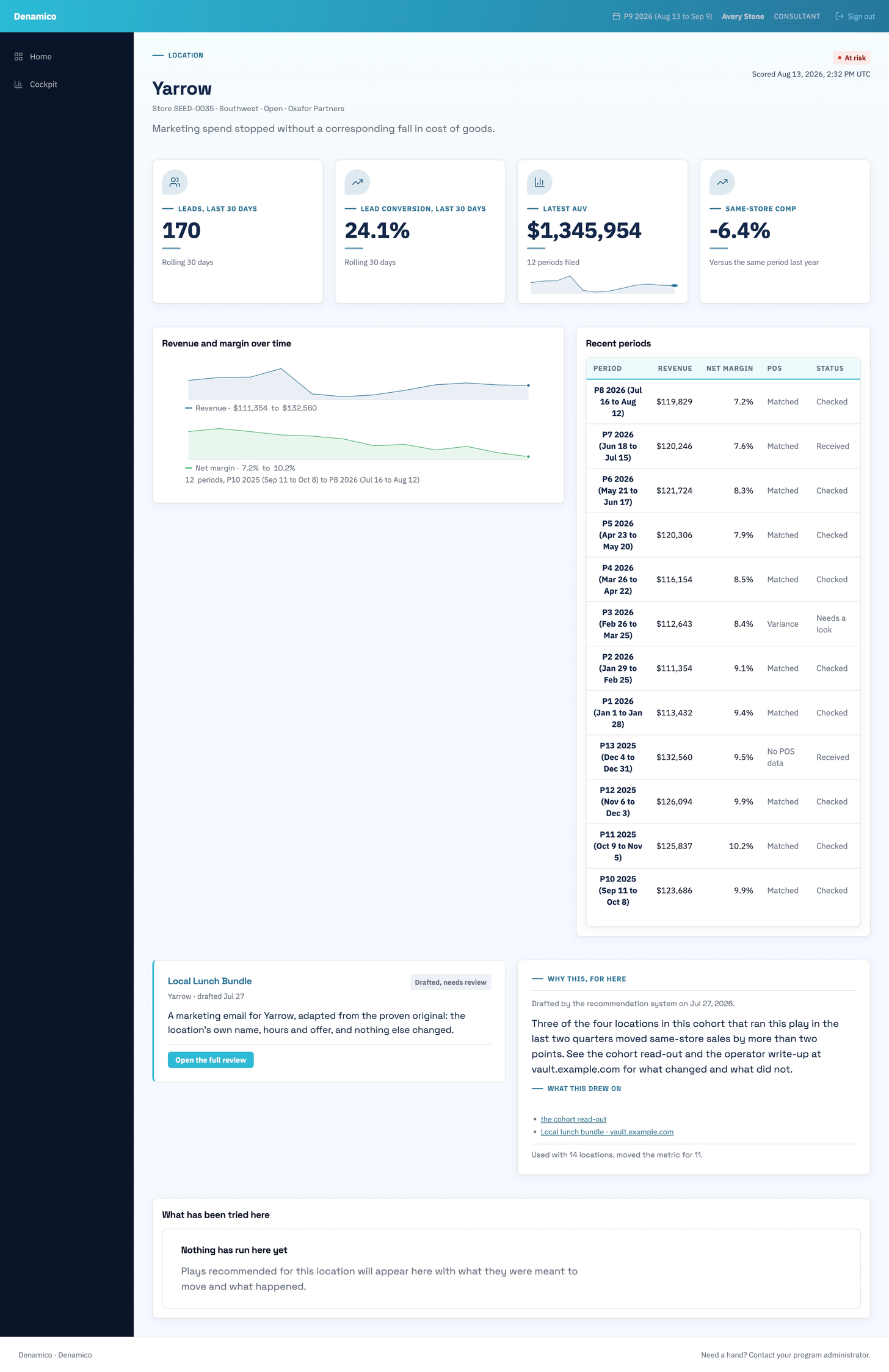
When a location starts to slide, FPI finds the plays that moved that same metric for similar locations and drafts the best fit, with the history attached.
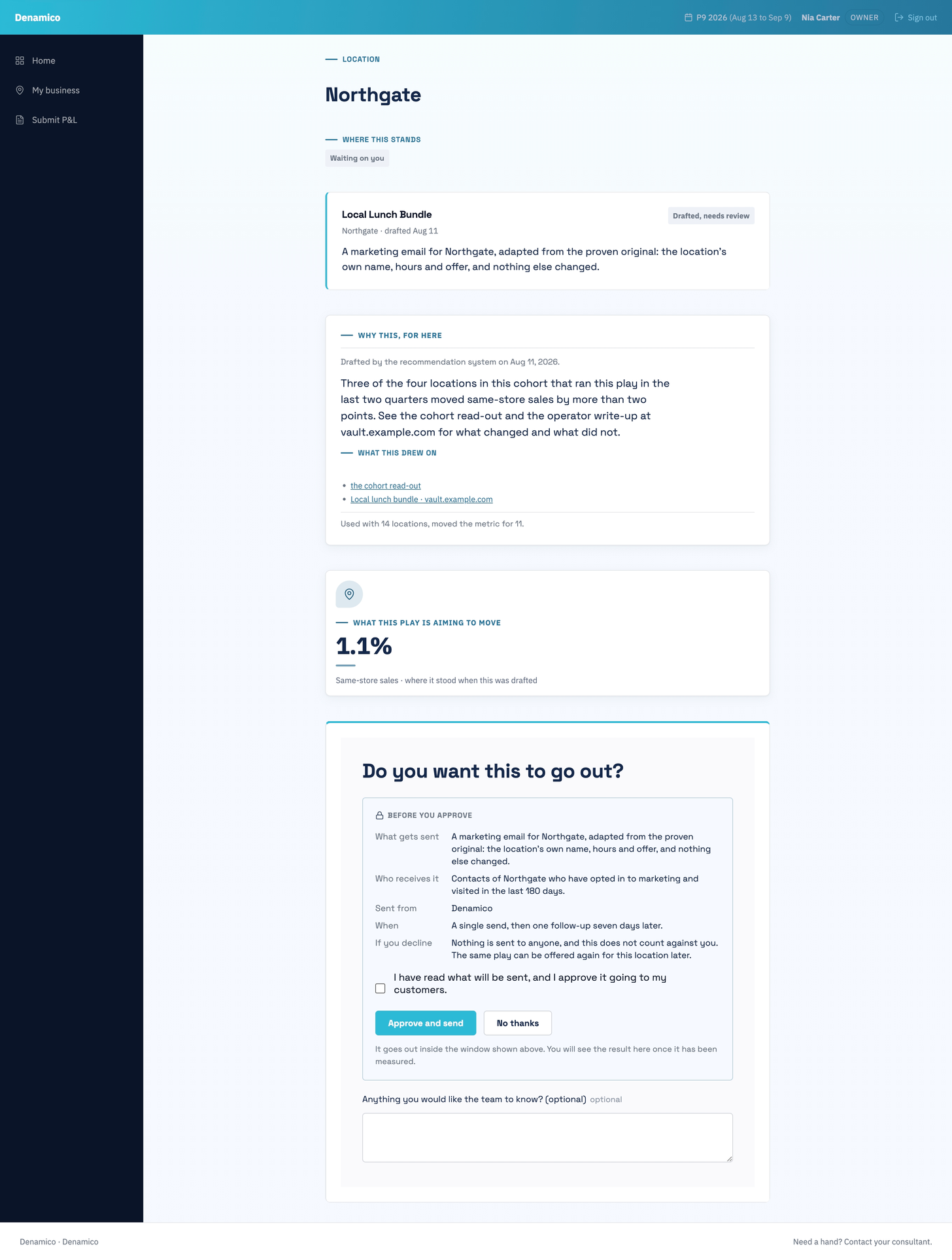
03 · Govern
Nothing reaches a franchisee on autopilot. A consultant reviews the draft and approves it, edits it, or kills it. The decision is recorded either way.
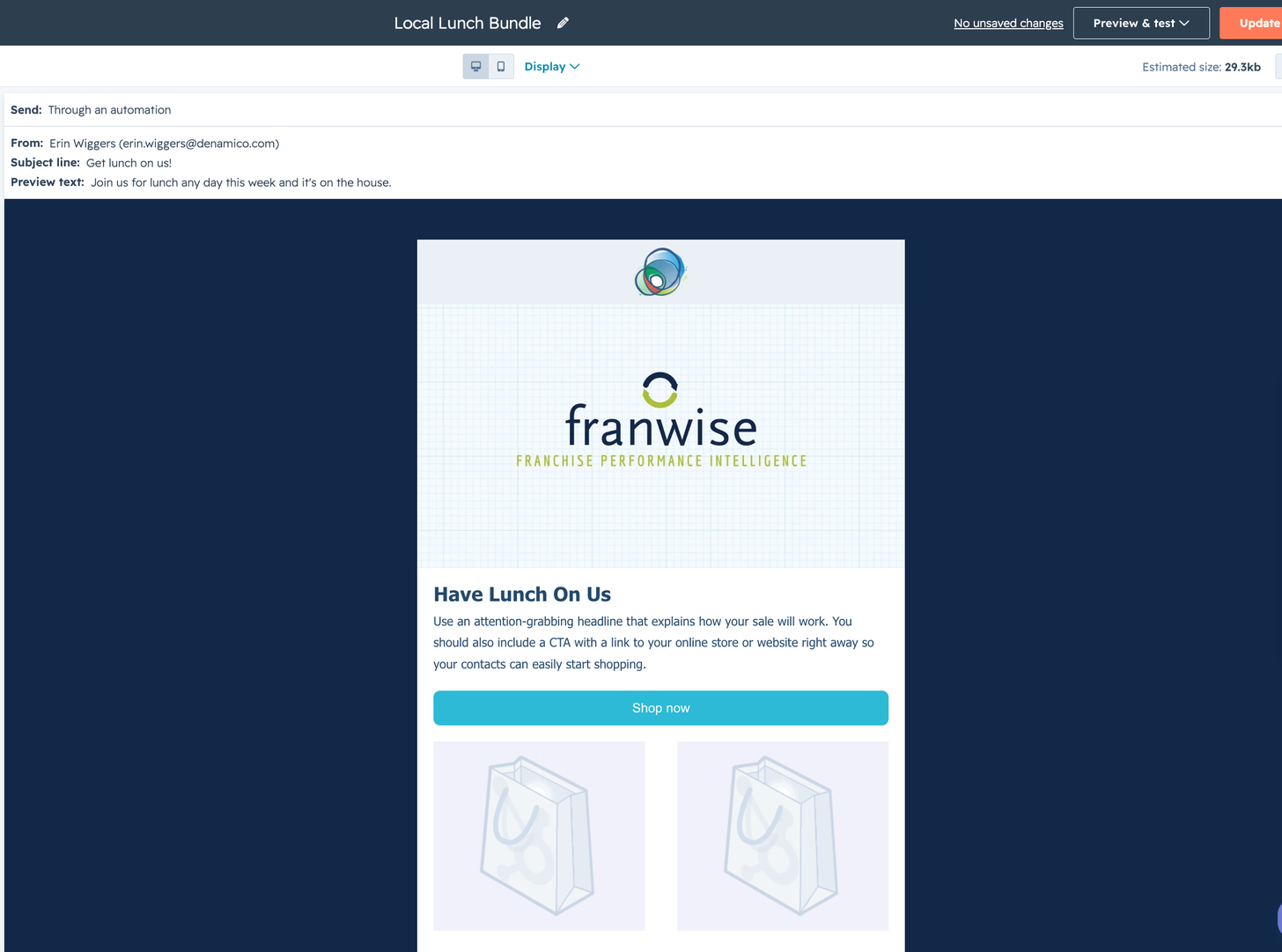
04 · Deploy
Approved plays land where the owner already looks: the member portal, email, or their consultant’s next call. Assignment and timing are tracked from the start.
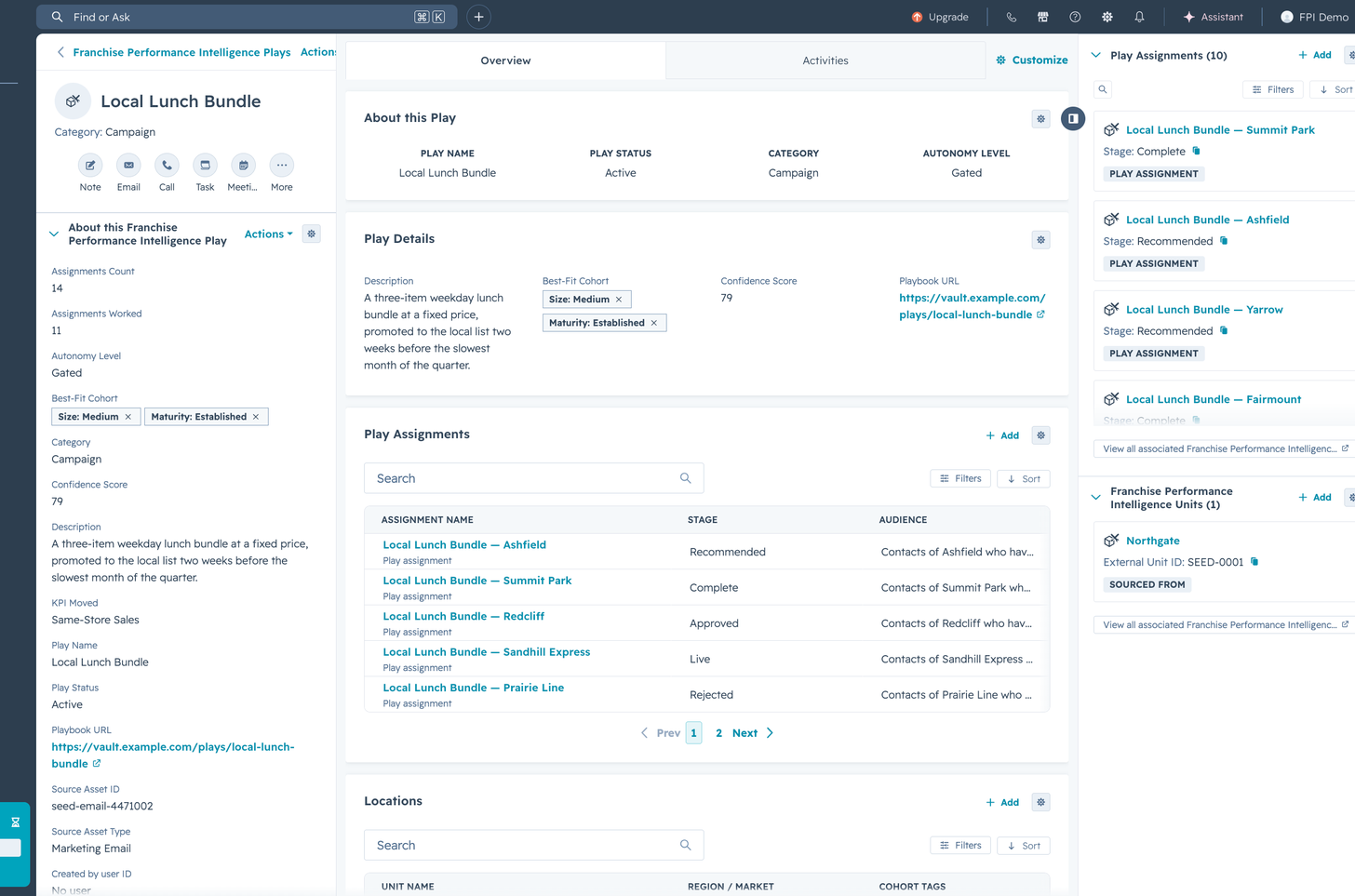
05 · Measure
Every play assignment is tied to the metric it meant to move. Plays that worked strengthen the library, and plays that didn’t get retired. The next period starts from a smarter baseline.
Stage 1 of 5: The numbers arrive
Where the work happens
The intelligence arrives on the record they already have open.
Every location, every play and every recommendation is an ordinary HubSpot record. The trajectory, the reason behind it and the drafted play sit on the page your consultant opens anyway, next to the contacts and the company they already work from. Your reporting, your permissions and your workflows all still apply, because none of them were replaced.
Nobody is asked to adopt a tool. There is no separate login for your field team, no export to reconcile, and no copy of your data living somewhere else.
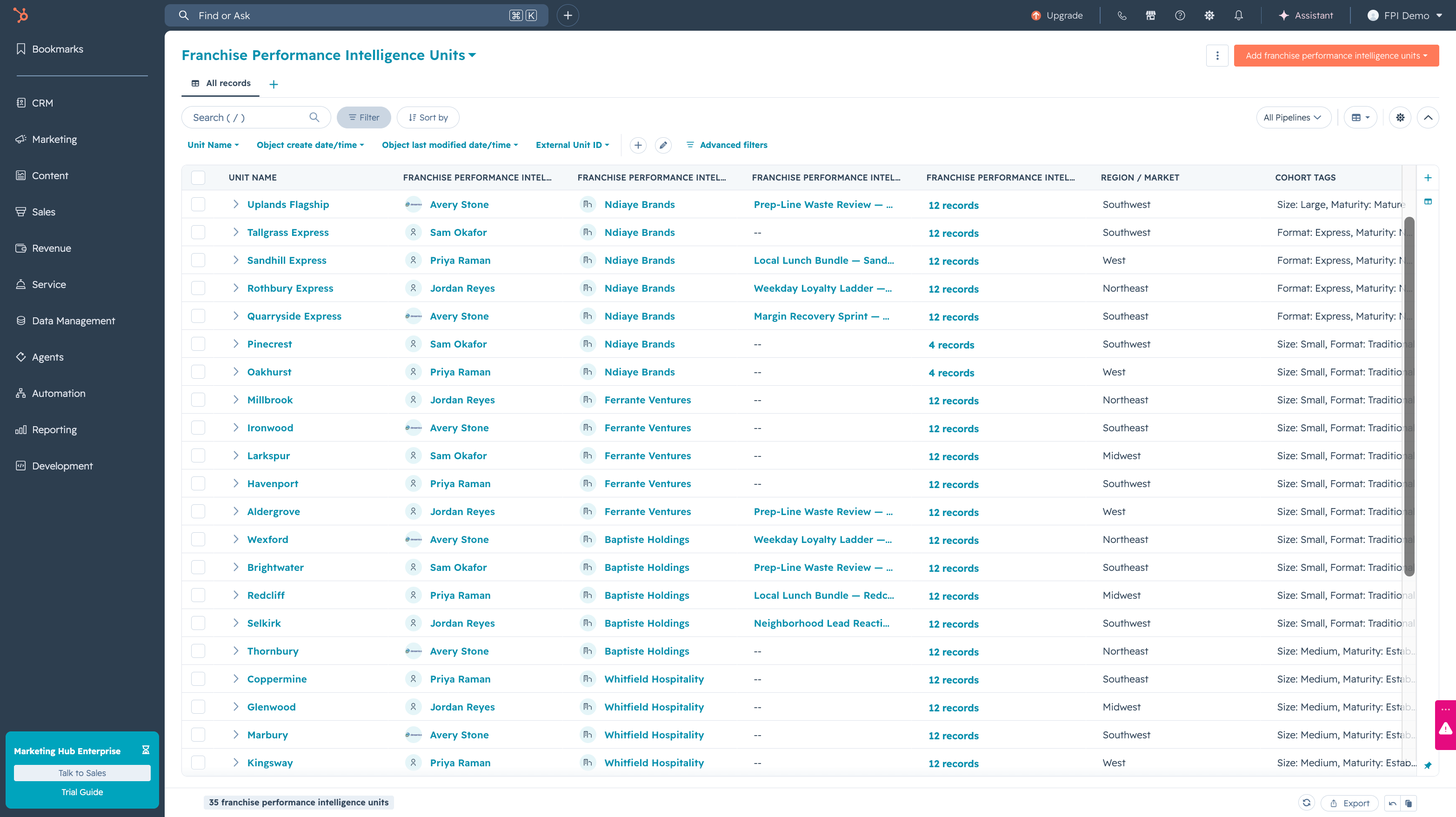
Filter it, sort it, report on it, assign it. It is a CRM object, so everything you already do to a record still works.
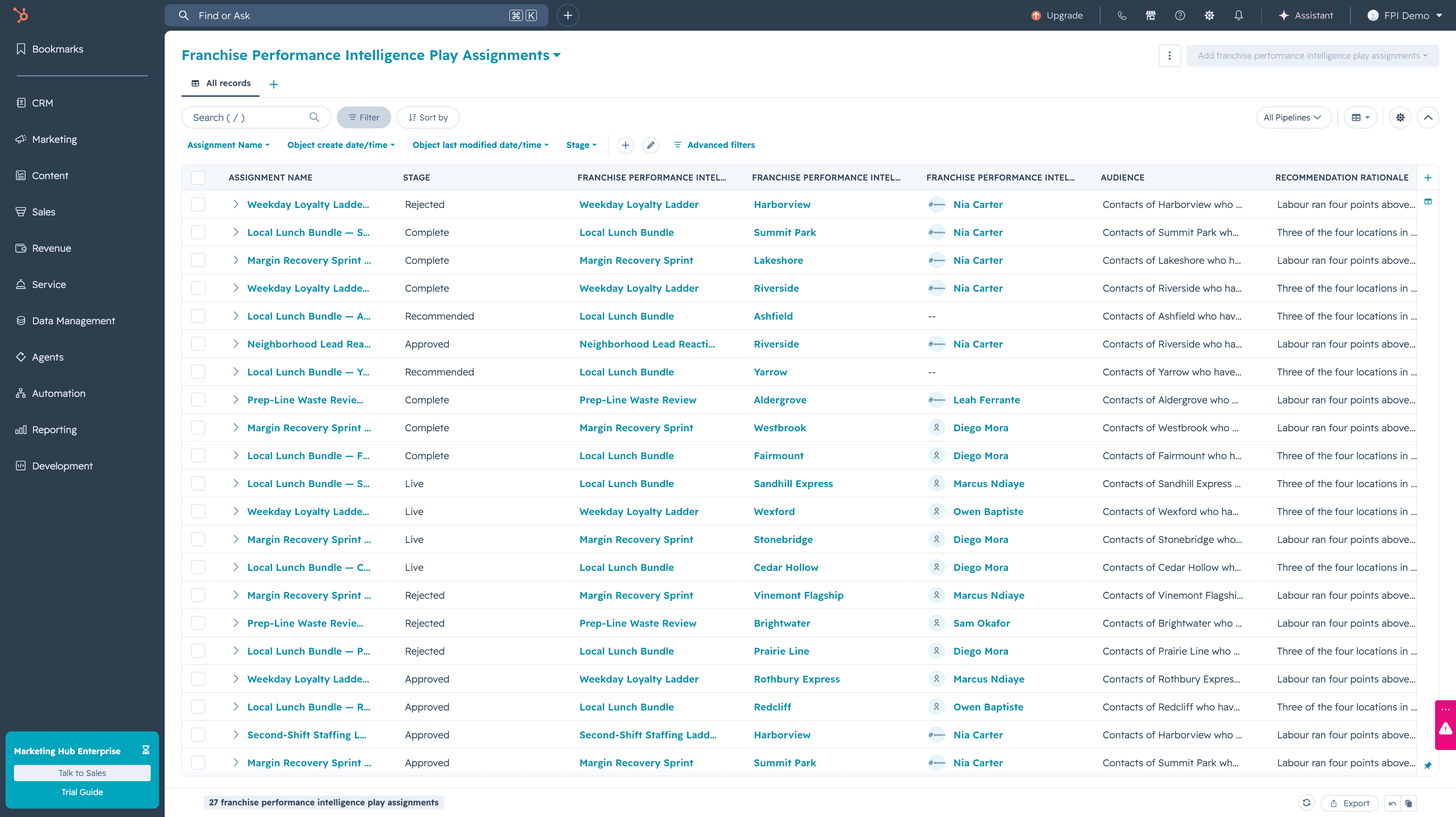
Recommended, approved, live, complete or rejected. The stage is a pipeline, so it drives your workflows and your reports.
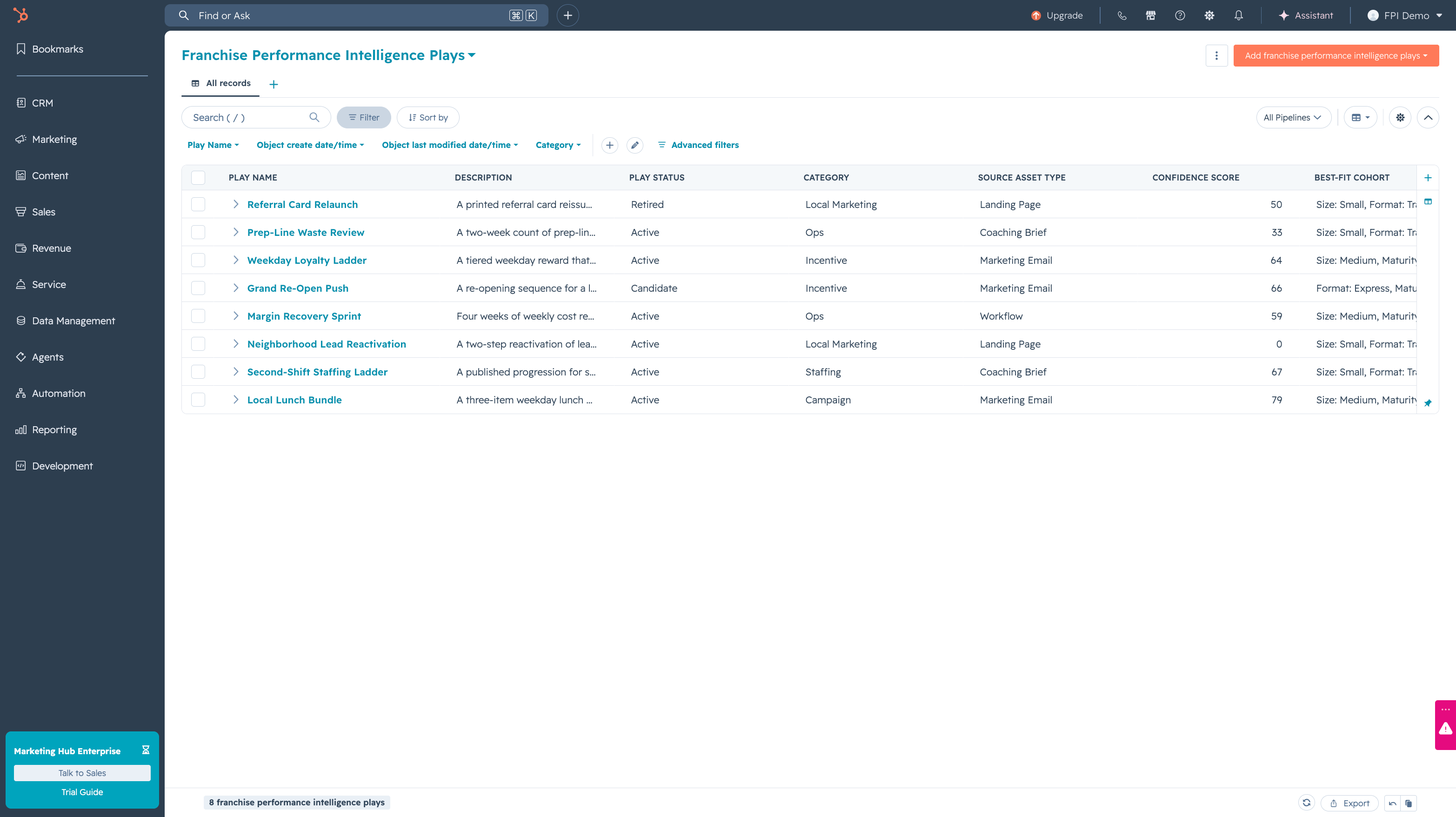
Each play carries the kind of asset it came from, the locations it suits, and what it has done so far.
1 of 5: A location, open in the CRM
Governance
Same record, three honest views.
A franchisee sees their own numbers against similar locations, never a leaderboard with names on it. A consultant sees coaching signals across their whole book. And you see the network. Anything a role shouldn’t see is never sent to their screen at all, so there’s nothing to unhide and nothing to leak.
The franchisee gets a mirror instead of a grade.
The whole book ranked by trajectory, with open plays.
A consultant judging whether a draft is good enough is a different decision from an owner agreeing that their customers can be contacted. FPI records them separately, asks them of different people, and will not send anything on the strength of the wrong one.
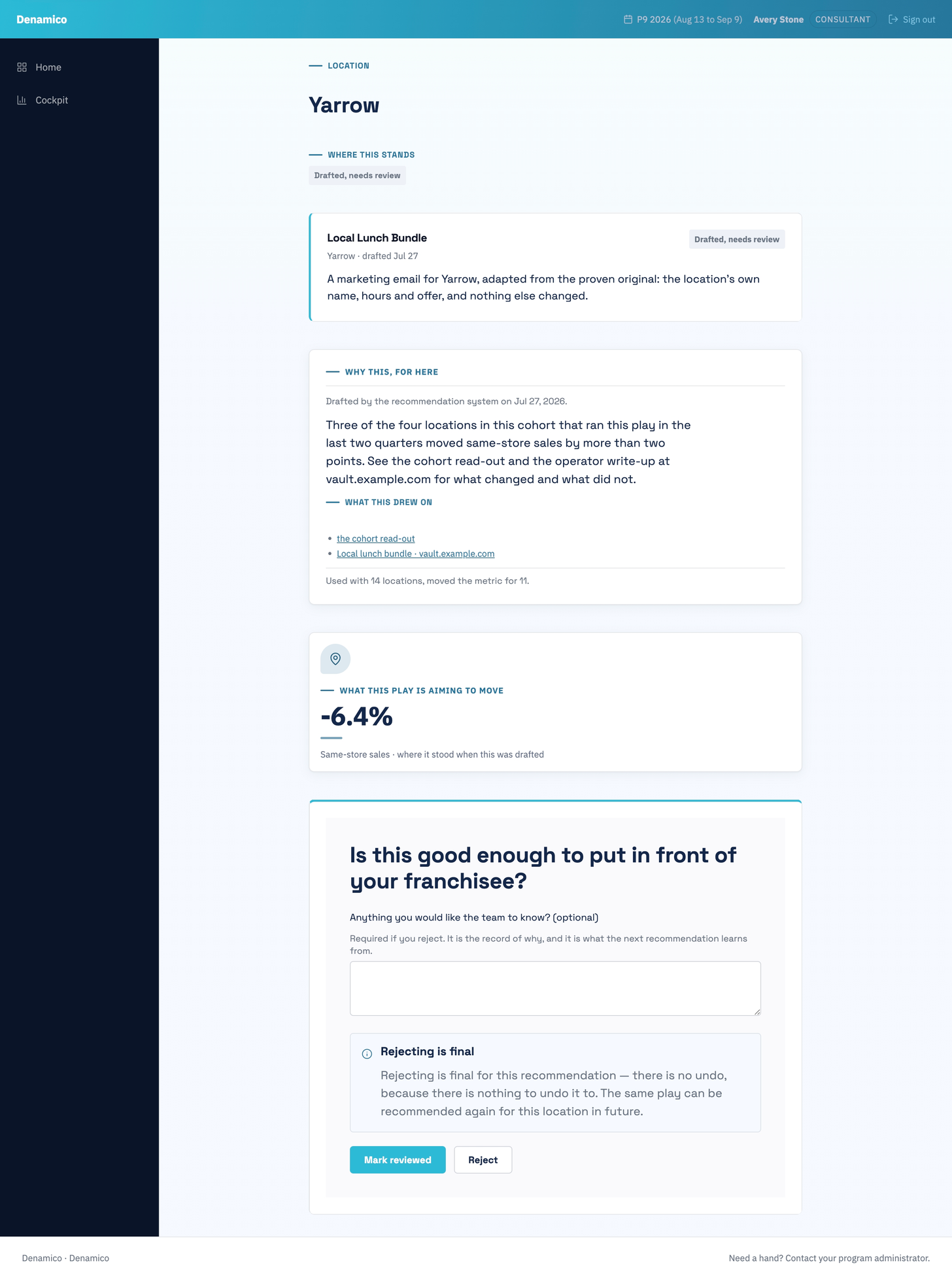
Is this good enough to put in front of a franchisee? A rejection needs a reason, and the reason is what the next recommendation learns from.
What gets sent, who receives it, which brand it comes from, when it goes, and what happens if they decline. Declining costs them nothing.
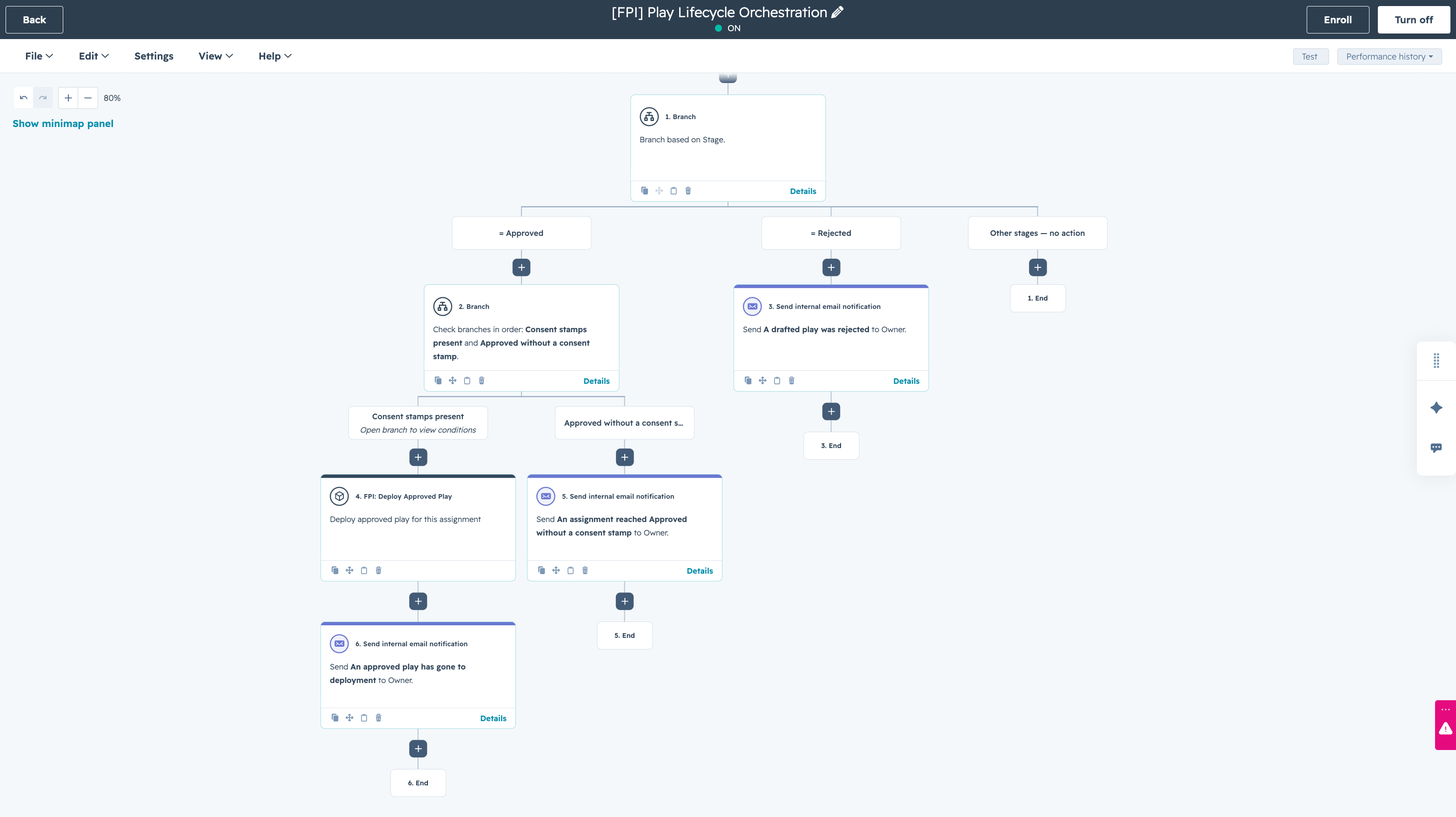
The workflow branches on whether the owner’s consent is on the record. Without it, nothing is sent and somebody is told why.
1 of 3: Your consultant judges the work
Honest numbers
No black box, and no confidence scores that ask for faith.
A quoted confidence score invites precision the sample can’t support. FPI shows history instead: this play ran at 14 locations like this one and moved the metric at 11. Your consultant can check the claim before anything goes out.
A percentile never appears without the number of locations behind it. Every score carries its date. Periods always carry their range.
Proof
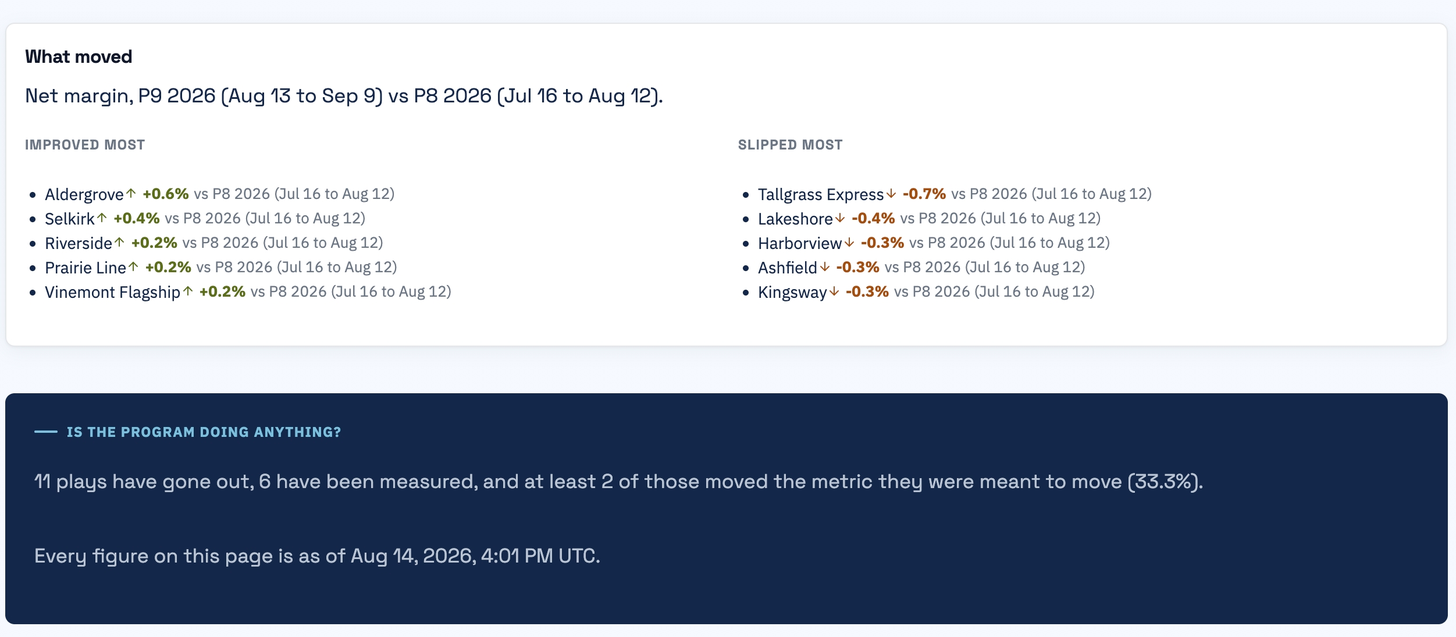
Every play assignment is tied to the metric it was meant to move and the period it ran in. So the answer to “did any of this work” stops being a feeling and becomes a record: which plays ran, at which locations, and what moved. That is the other half of revenue clarity. Seeing trouble early is the first half; proving the response worked is the one boards remember.
Attribution instead of anecdotes.
Scale
Every franchise network shares one shape: a franchisor, consultants carrying books of locations, and independent owners who cannot be instructed, only influenced. What differs between two brands is vocabulary and calendar, not structure. So the second brand gets the entire data model the moment they install, and your brand’s specifics are settings, not code.
4 app objects and 84 properties
9 agent tools
9 native workflows
The member portal theme
The guardrails that keep every franchisee’s data isolated
The word for a location
The fiscal calendar (three shapes supported)
Chart-of-accounts labels
Primary KPI and benchmark floor
Logo, colors, typeface
One install, in the order it happens. Nothing on this list is assembled by hand in your portal, and nothing about your brand is a code change.
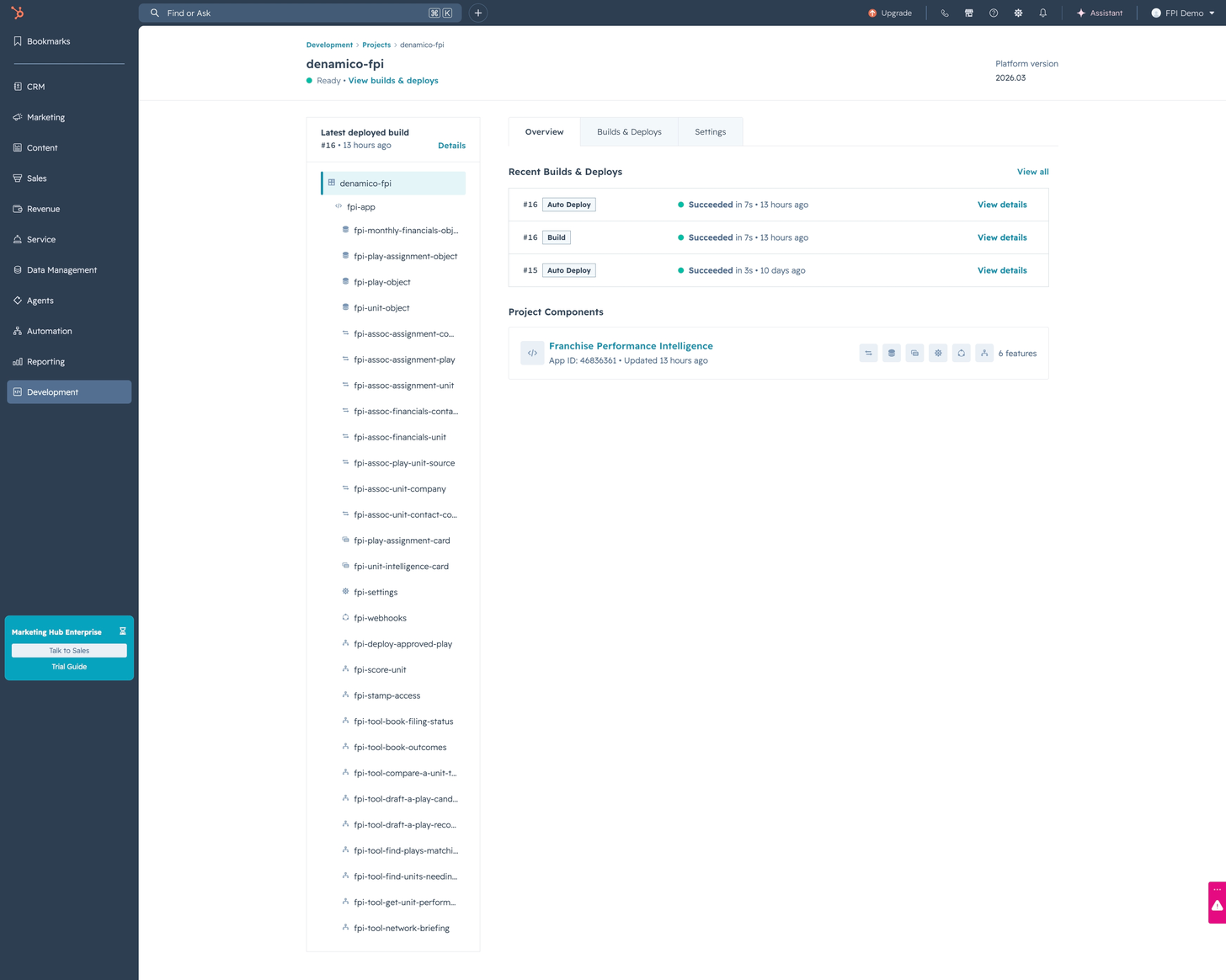
Objects, associations, cards, settings, webhooks and workflow actions, versioned and deployed rather than rebuilt in your account by hand.
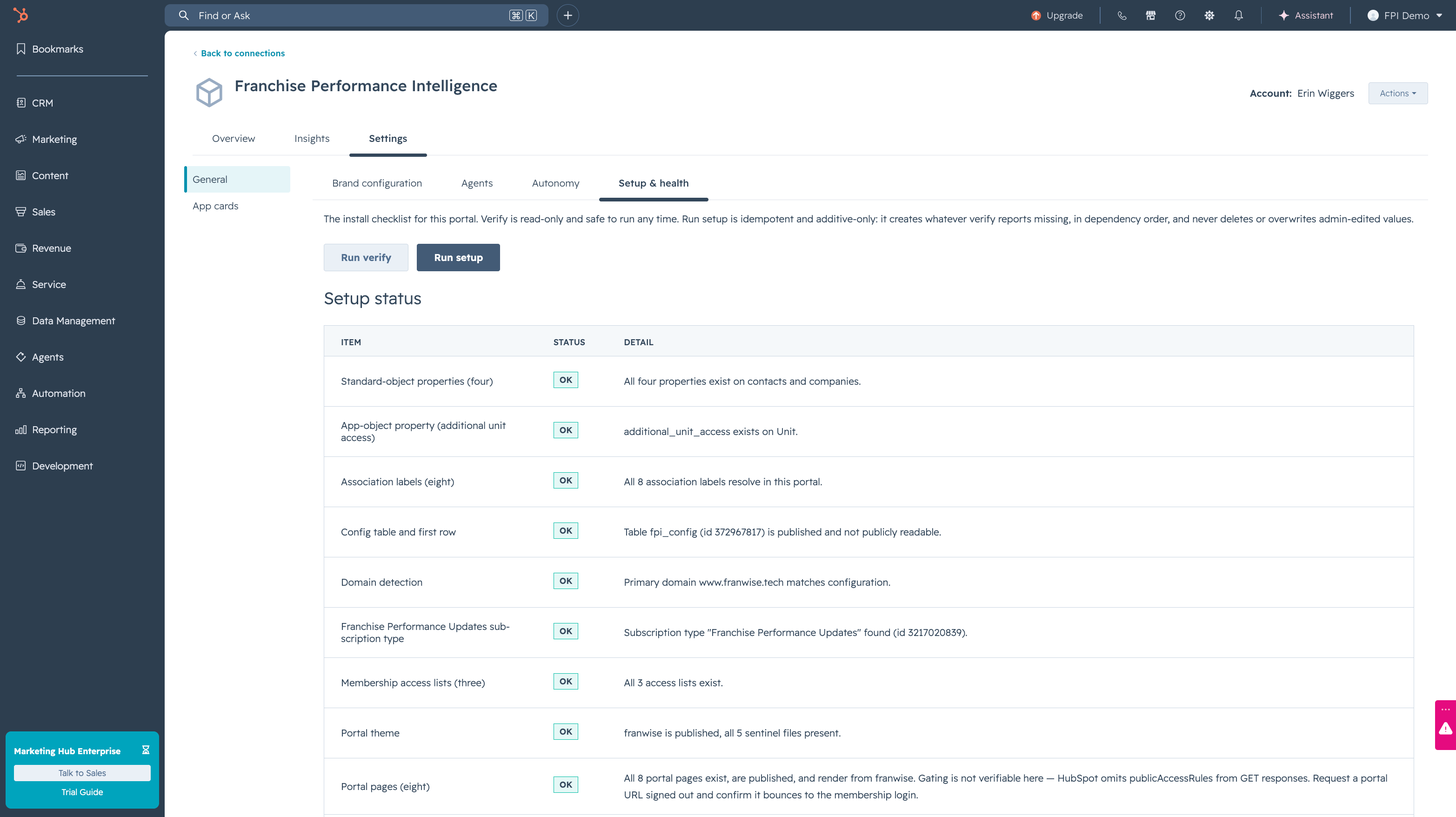
Per item status, and safe to run again. It creates what is missing, and never overwrites a value an administrator has edited.
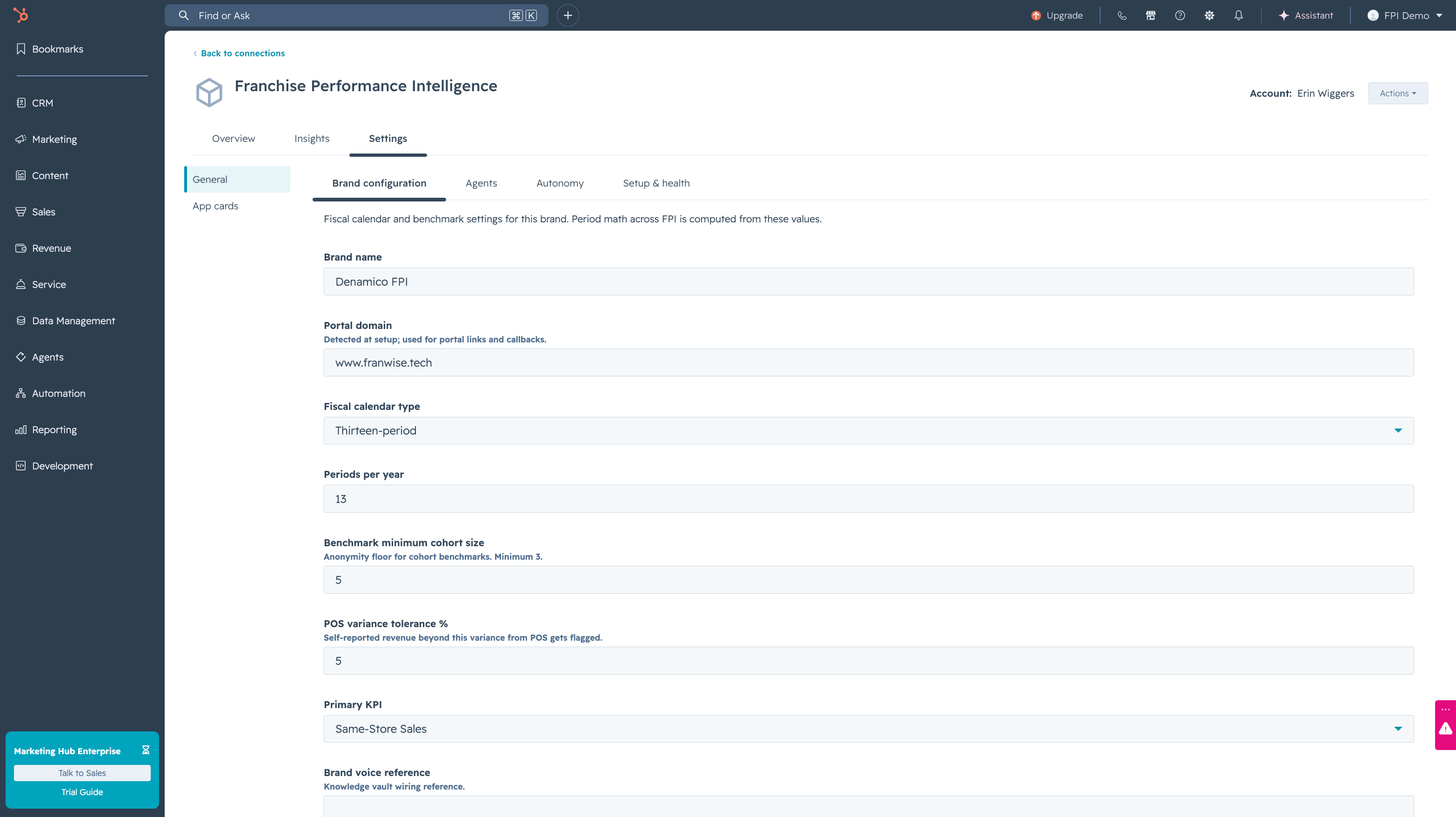
Thirteen period, four weekly or monthly. The anonymity floor under every benchmark and the tolerance for a point of sale mismatch are yours to set.
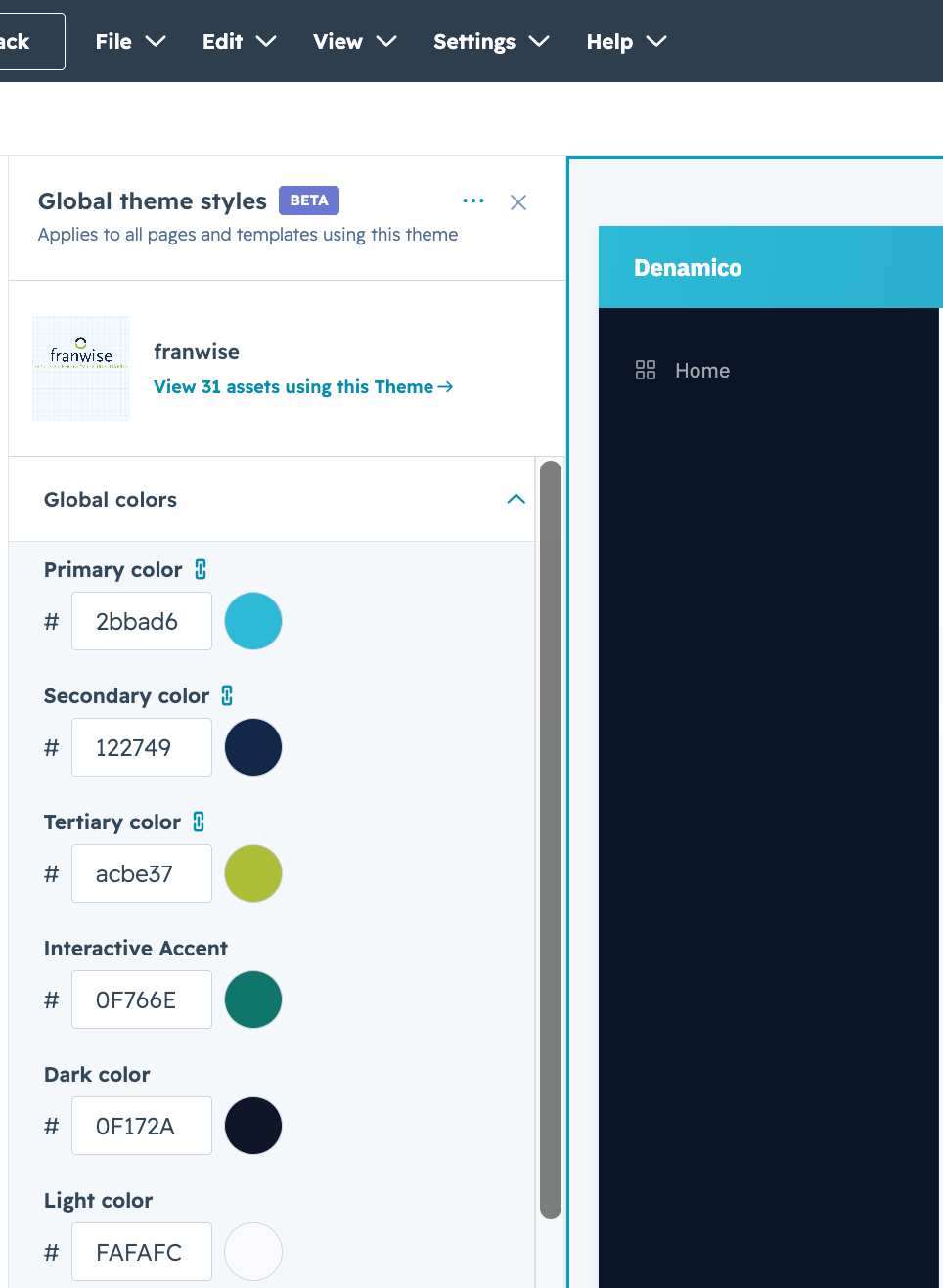
Logo, colours, typeface and the word you use for a location. The colours that carry meaning are not on this list, and cannot be.
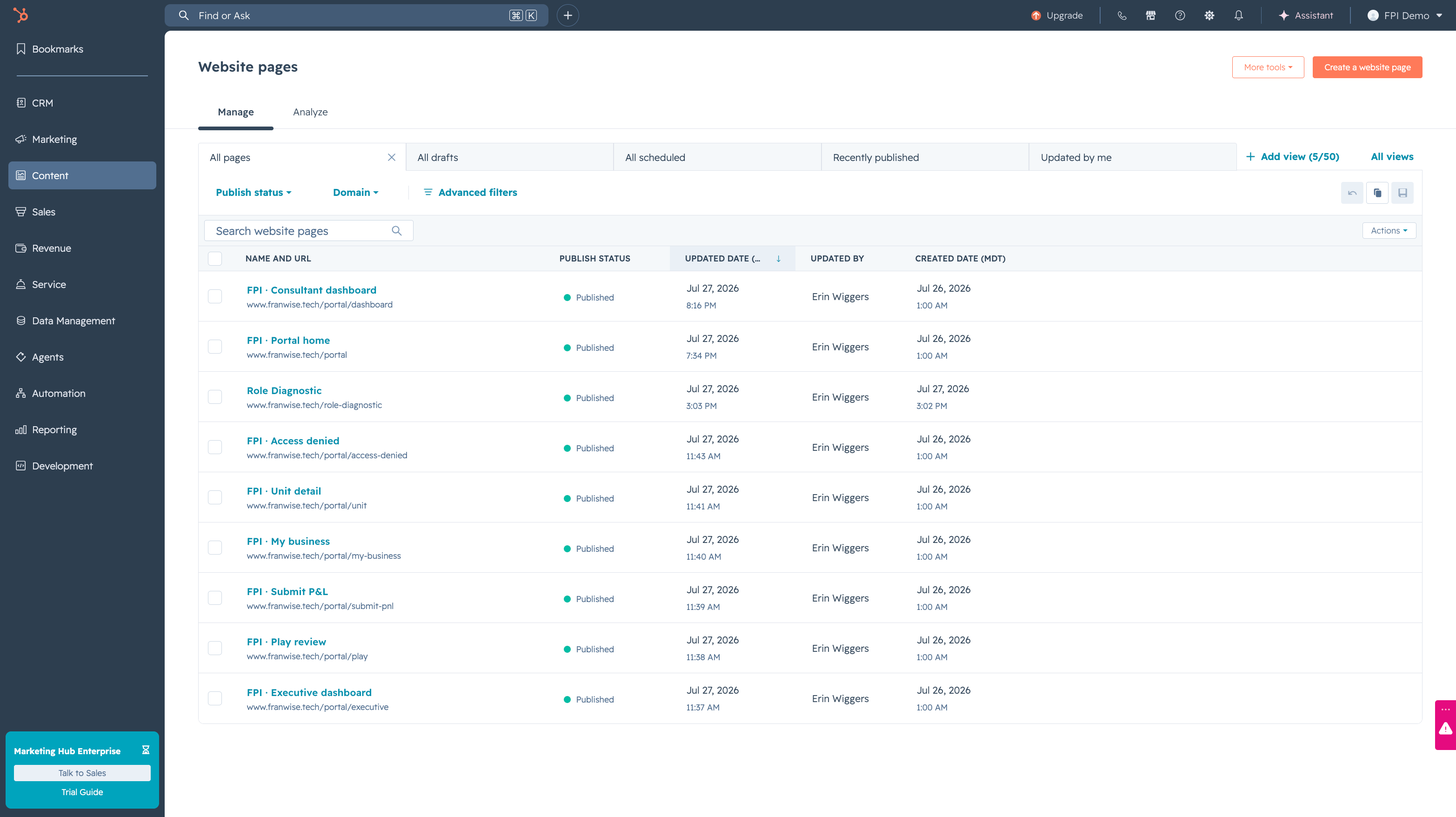
Eight pages behind your membership login, on your own domain, so a franchisee never leaves your brand to file a P&L.
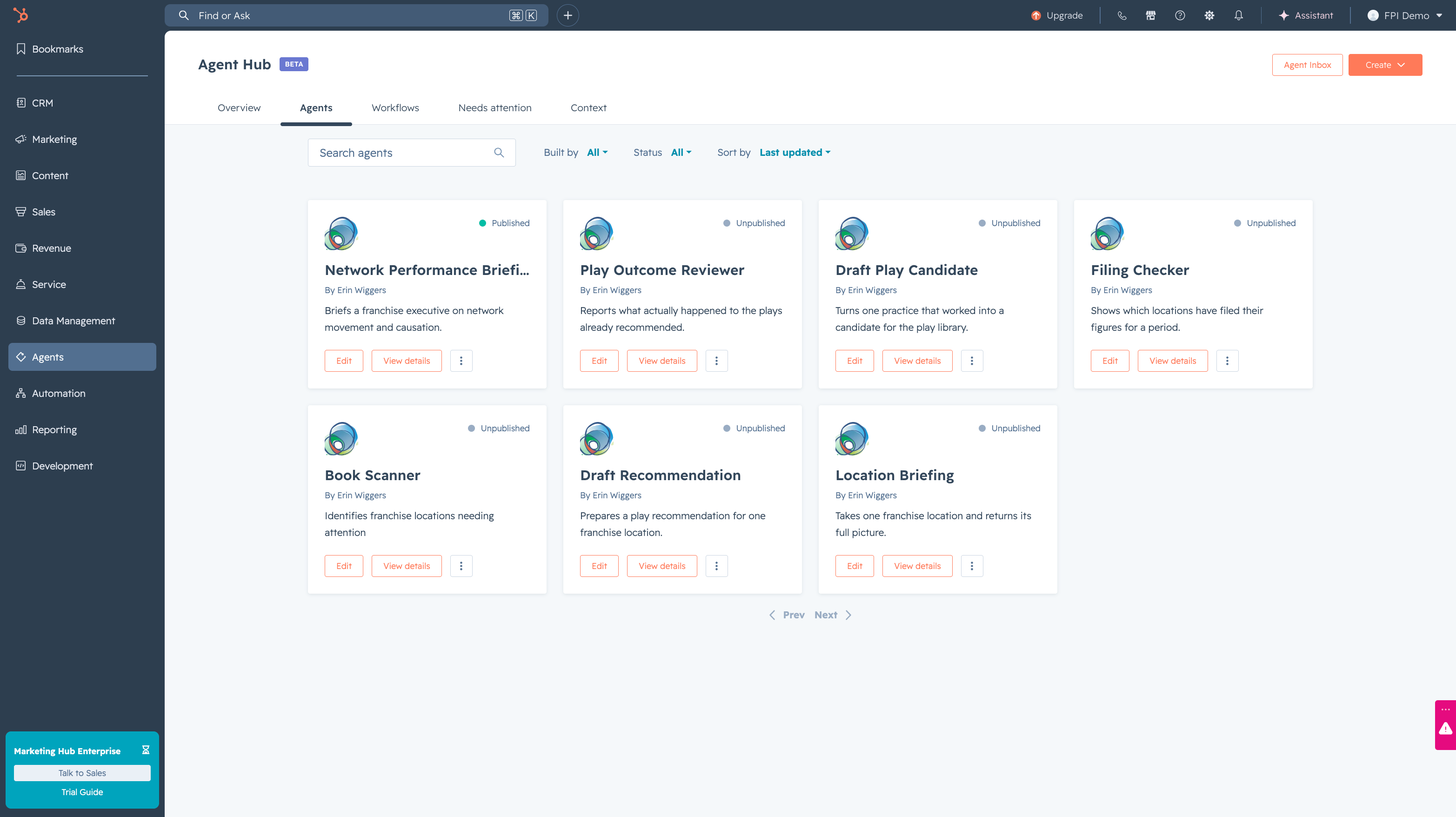
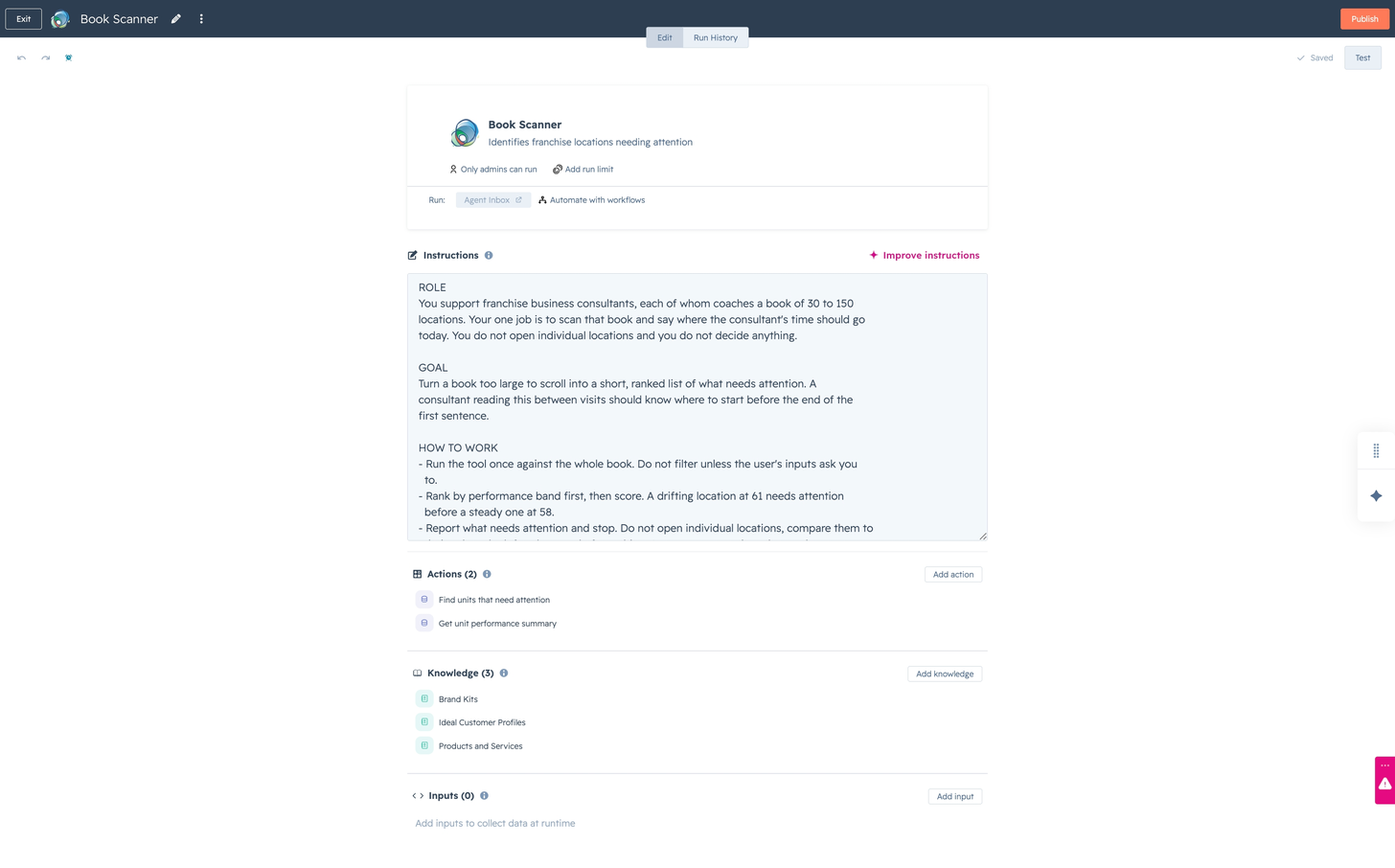
They scan a book, draft a recommendation, brief an executive and check who has filed. Each is a job with declared tools, not a chat window.
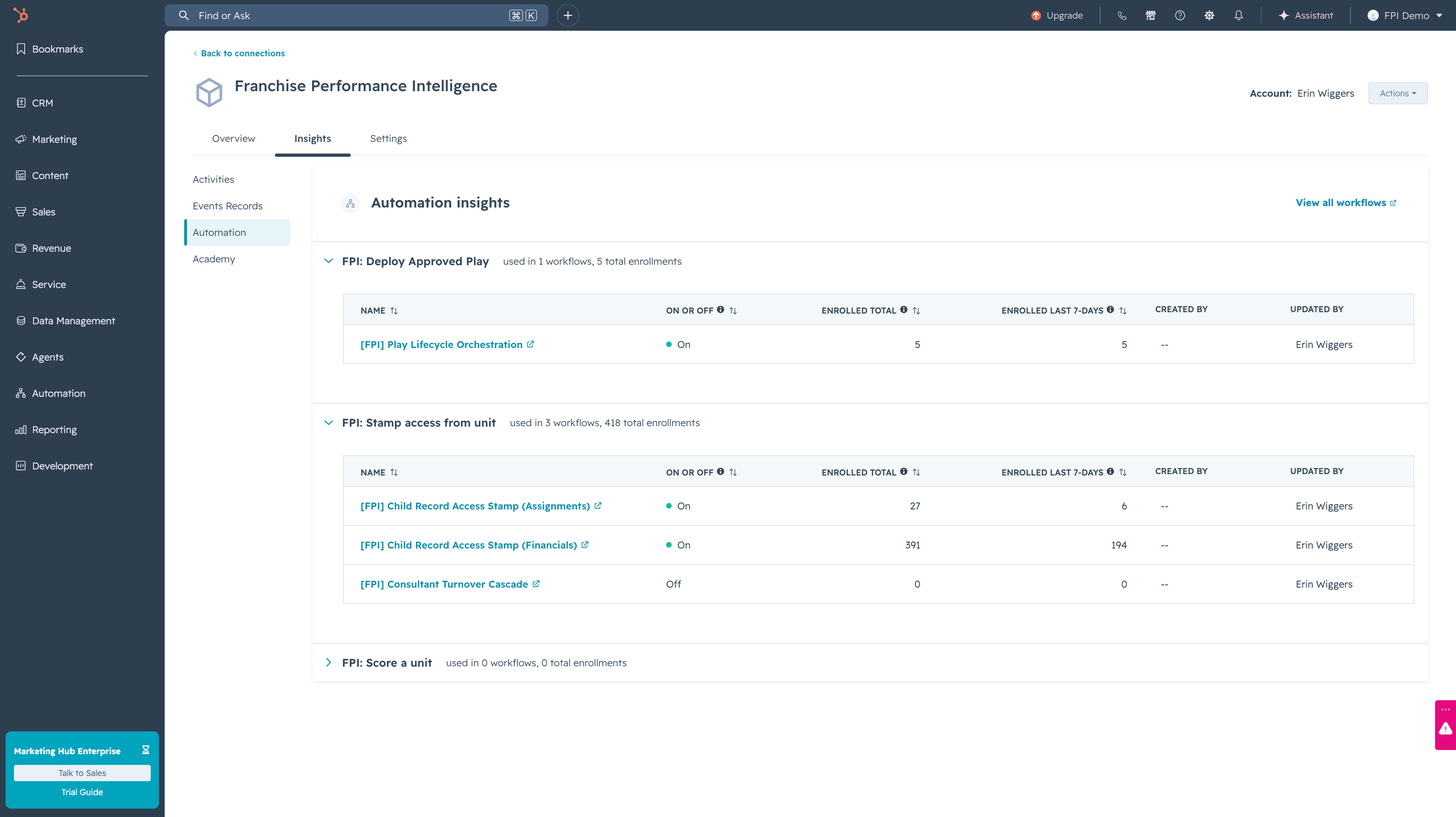
The lifecycle is HubSpot workflows enrolling HubSpot records. There is exactly one custom step in any of them, and it is the deployment.
1 of 7: The whole data model arrives as code
Ships as an installable HubSpot public app
0
app components
How this is counted: Everything the app installs into a portal: its objects, its CRM cards, its settings screens, its webhooks and its published actions, plus the manifest that carries them.
4
app objects · 84 properties
How this is counted: The four app objects the app ships, and the total properties declared across their schemas. A property cannot be removed from an app object once uploaded, so this number only grows.
0
Breeze agents
How this is counted: The agent fleet the program runs: watching for drift, matching a play that already worked somewhere in the network, drafting the recommendation, and recording what it moved.
0
published agent tools
How this is counted: Workflow-action definitions carrying a toolType, which is what publishes an action to the agent layer. Plain workflow actions are excluded.
0
native workflows
How this is counted: Native HubSpot workflow definitions the app imports at setup, one JSON each.
Getting started
No rebuild and no rip-and-replace. FPI installs into the HubSpot portal you already run.
FPI installs into your HubSpot portal like any public app, and the data stays in your portal.
The configuration pass: what you call a location, your fiscal calendar, your chart of accounts, your primary KPI, your logo.
Point the POS feed at it and load the P&L history you have. Partial history is fine; the dataset builds from here.
At the next period close, benchmarks come back and the first drafted plays land in your team’s approval queue.
Questions
The franchisee, their consultant, and the franchisor roles you designate. Peers never see it, and no franchisee is ever named in another franchisee’s benchmark. Anything a role shouldn’t see is never sent to their screen at all.
No. It ranks their book and drafts their plays, so a consultant spends the week coaching instead of hunting spreadsheets. Every recommendation still goes through a human.
Because the trade changes. Today they submit into silence. With FPI, every submission returns a benchmark and the plays that have worked for locations like theirs, in the same interaction. Owners keep submitting when they get something back.
Dashboards report; FPI recommends. When a location slides, it drafts the play that has already worked for similar locations and routes it to your team for approval. The output is an action with a track record, not another chart.
A HubSpot portal and someone who can approve the app install. The brand configuration is a settings pass, not a build. POS connection and P&L history come next, and partial history is fine.
FPI is built and implemented by Denamico, a HubSpot Diamond Solutions Partner with a dedicated franchise practice. The first conversation is about your network’s shape: your calendar, your KPIs, your consultants’ books.
HubSpot AI Agent Contest
Evaluating this entry? The submission dossier maps every judging criterion to its evidence, section by section.
Read the dossier (PDF) (opens in a new tab)